

Tutorials
App questions? View our collection of how-to tutorials for trainers and trainees.
Tutorials For Trainers
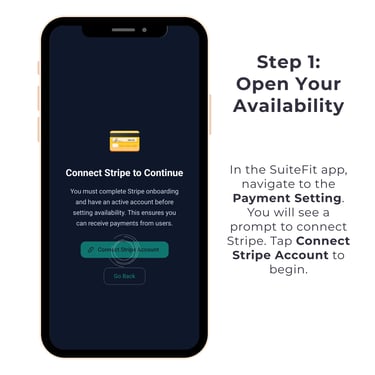
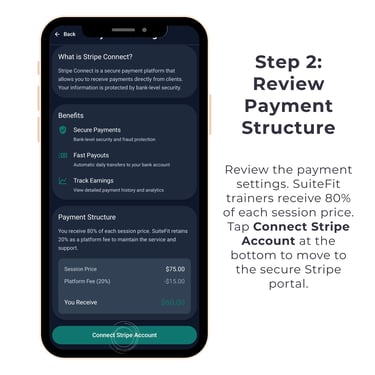
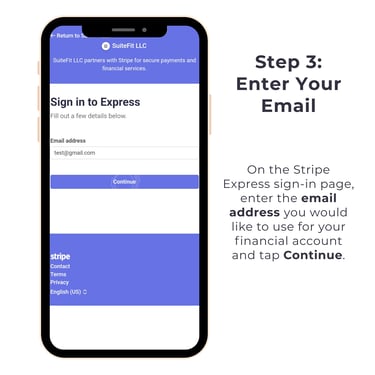
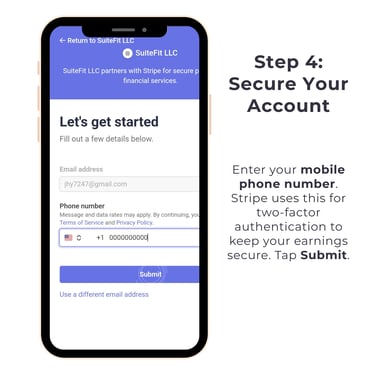
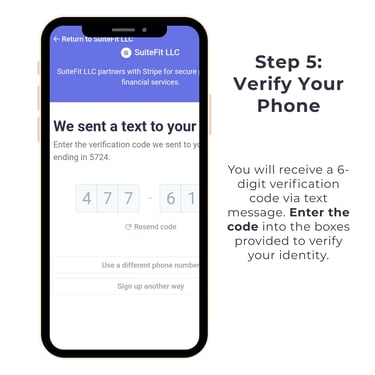
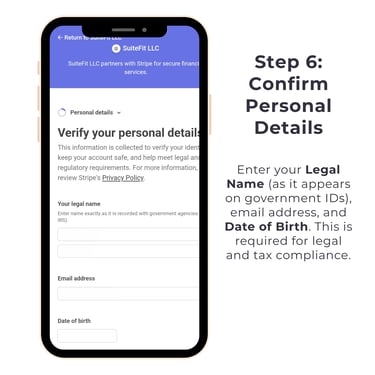
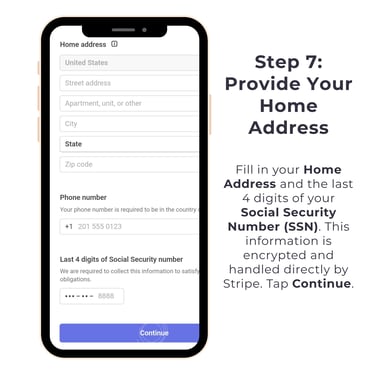
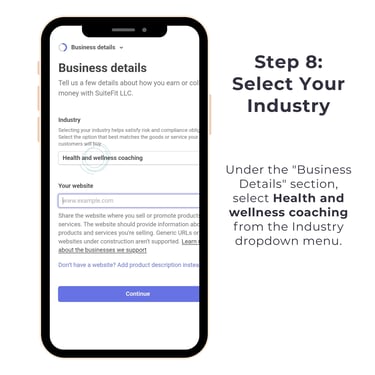
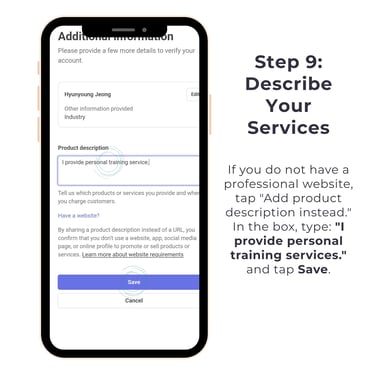
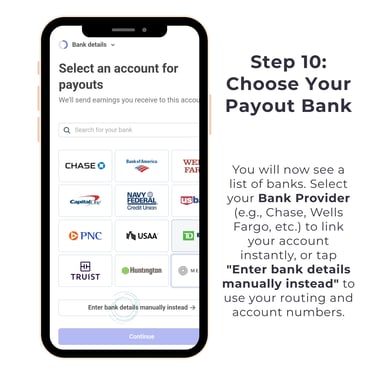
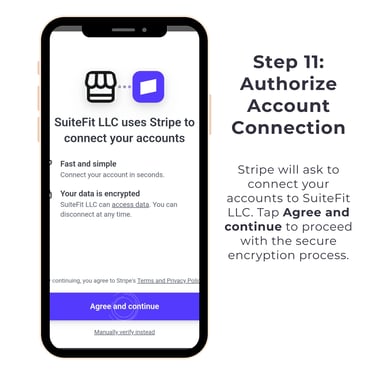
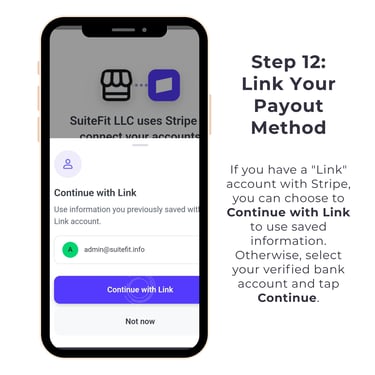
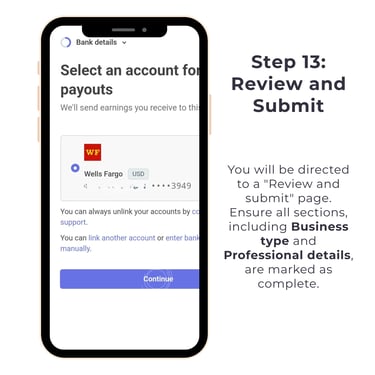
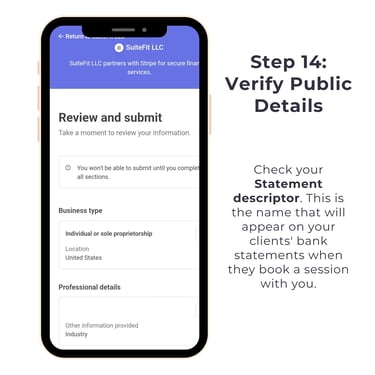
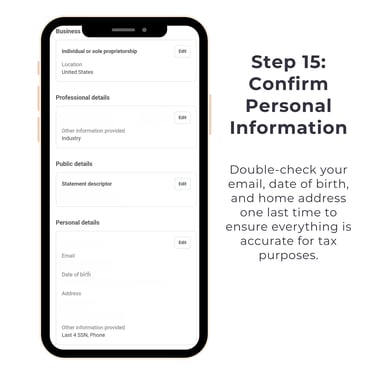
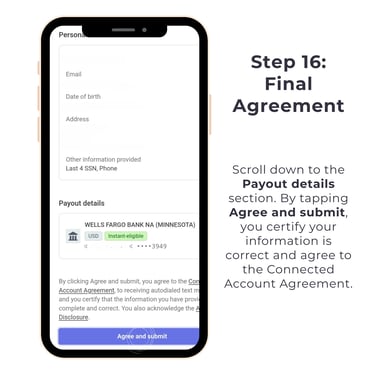
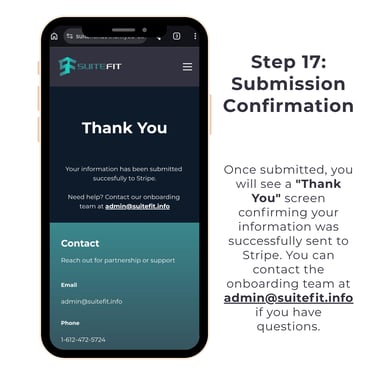
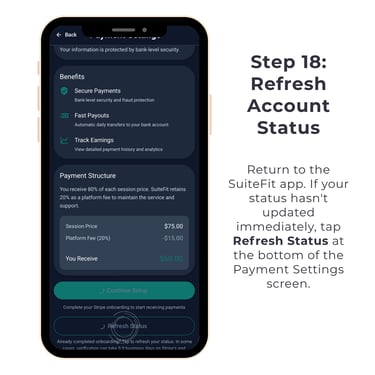
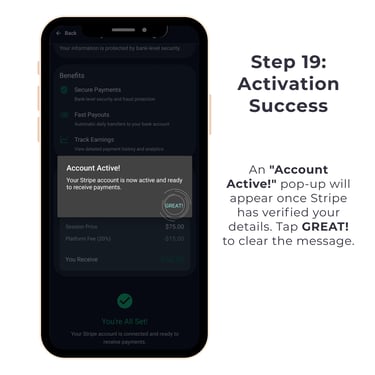
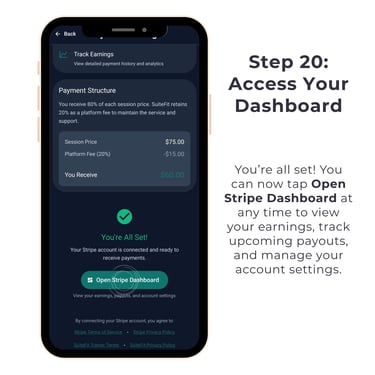
Connecting Your Bank Account
Follow the steps below to connect your bank account within the SuiteFit app. Click the image for a full view and tap through each step.
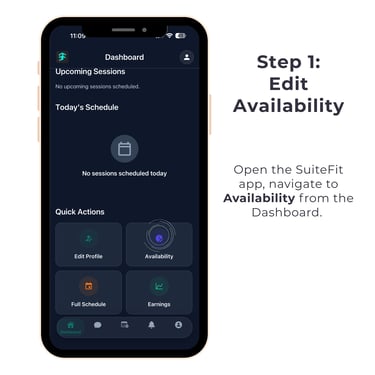
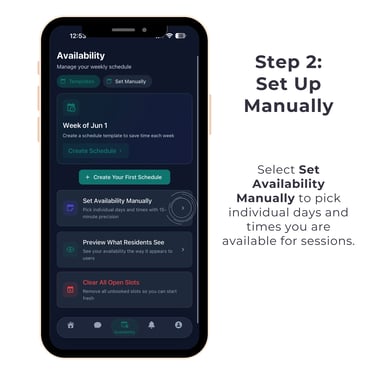
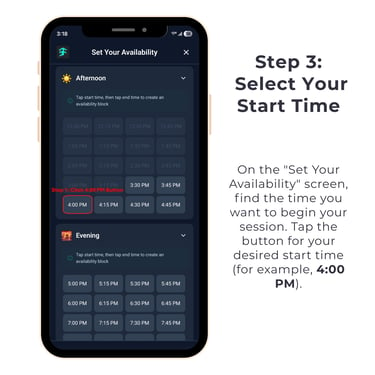
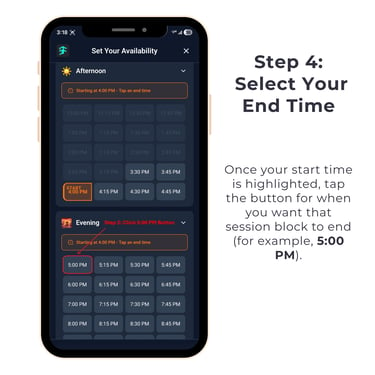
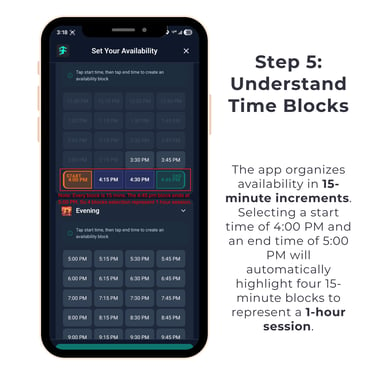
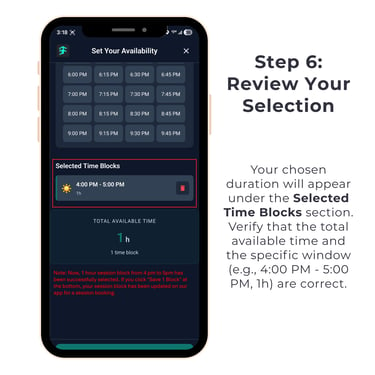
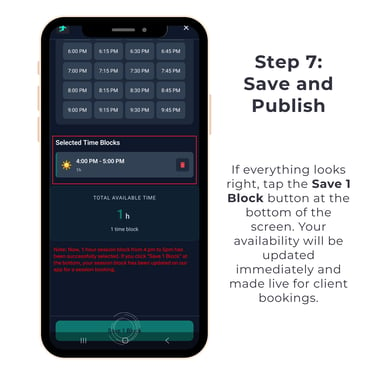
Setting Your Availability Manually
Follow the steps below to manually set up your availabililty and open time blocks for client bookings in the SuiteFit App. Click the image for a full view and tap through each step.
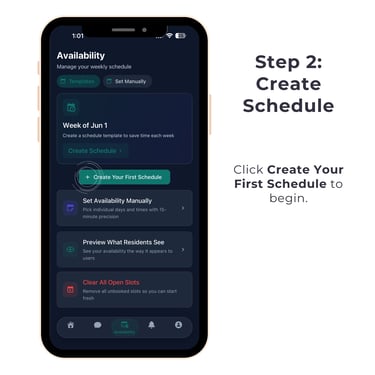
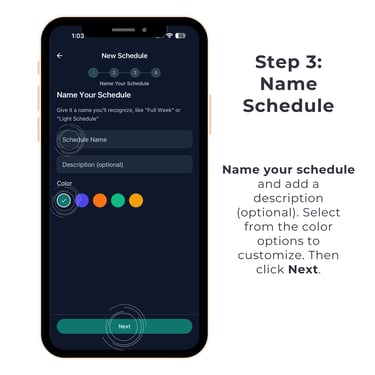
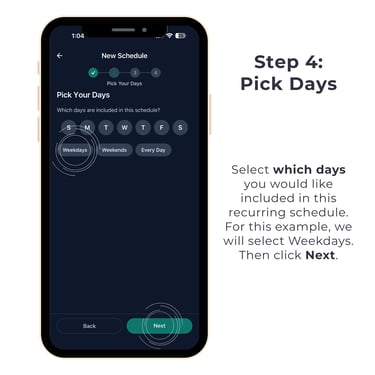
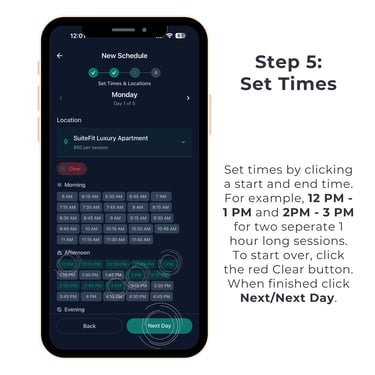
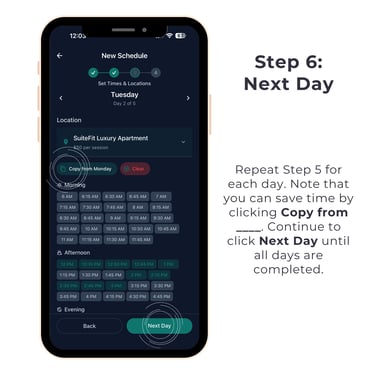
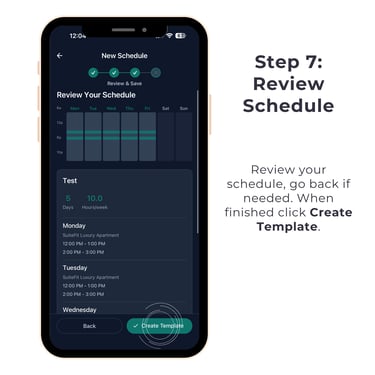
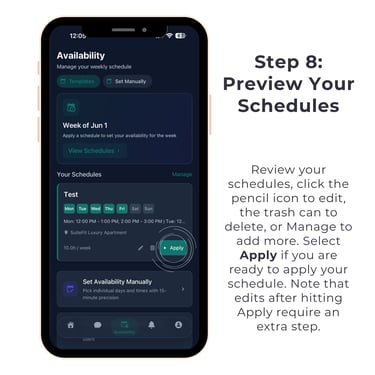
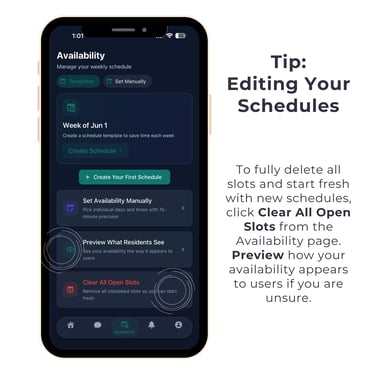
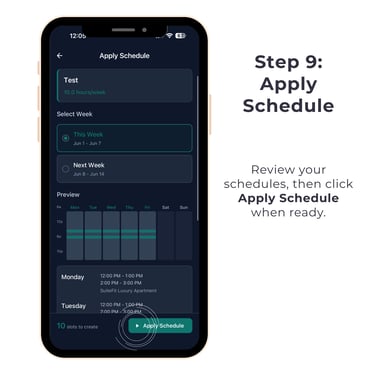
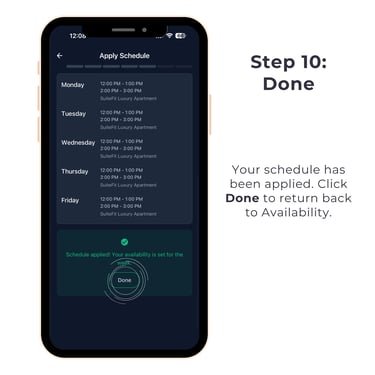
Setting Your Schedule
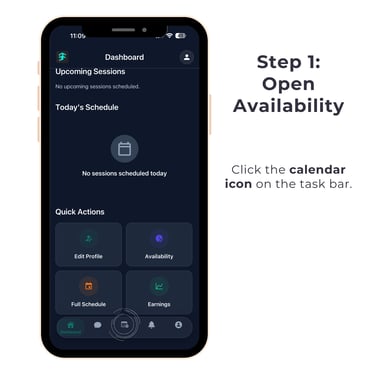
Follow the steps below to create your schedule and open time blocks for client bookings in the SuiteFit App. Click the image for a full view and tap through each step.
Checking Session Details
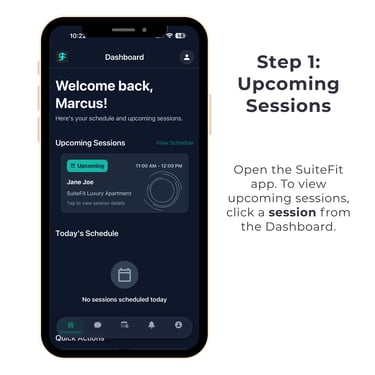
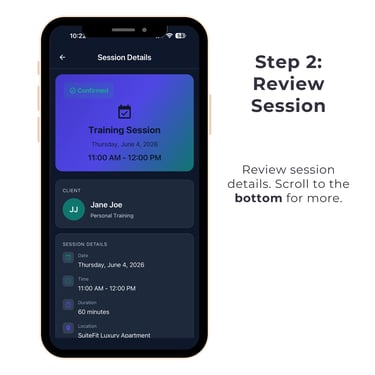
Follow the steps below to check your training session details in the SuiteFit app. Click the image for a full view and tap through each step.
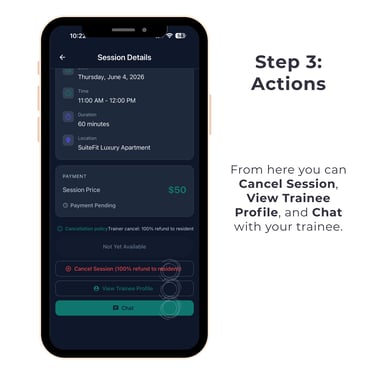
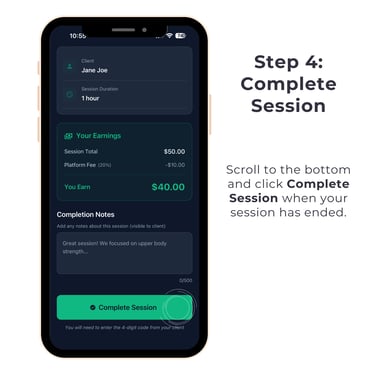
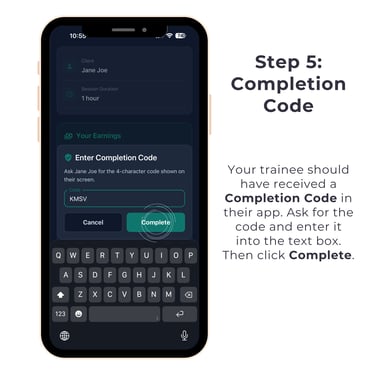
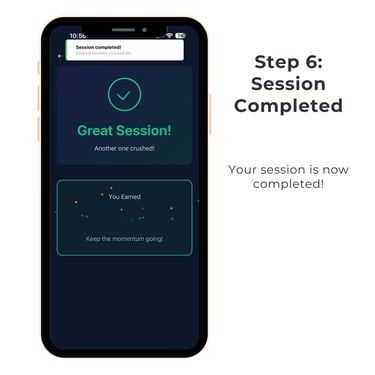
Completing a Session
Follow the steps below to complete a training session in the SuiteFit app. Click the image for a full view and tap through each step.
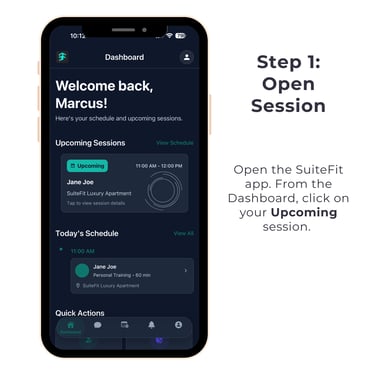
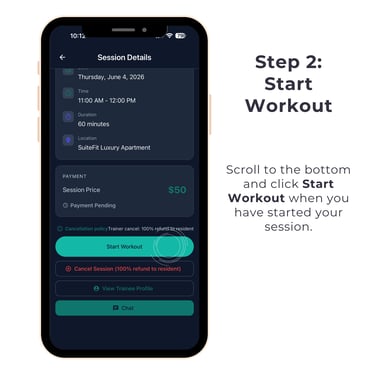
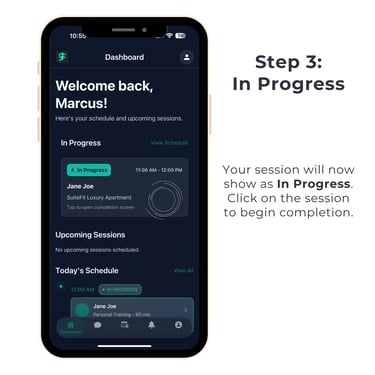
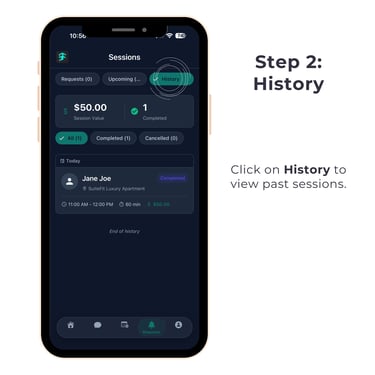
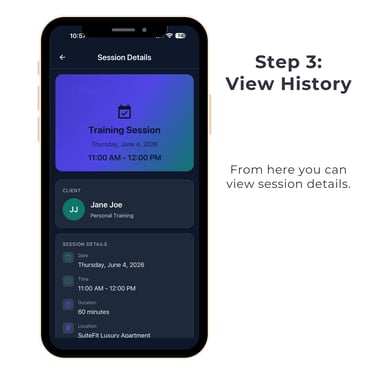
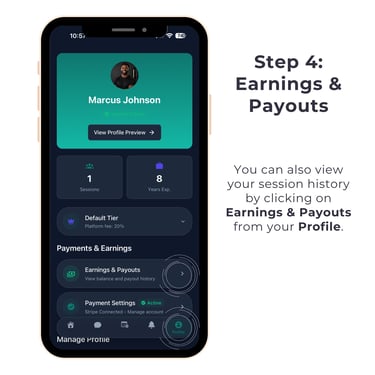
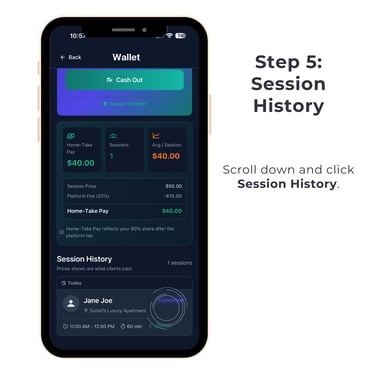
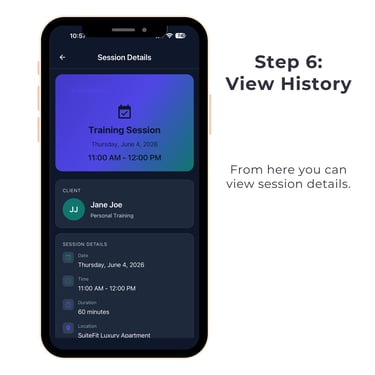
Reviewing Session History
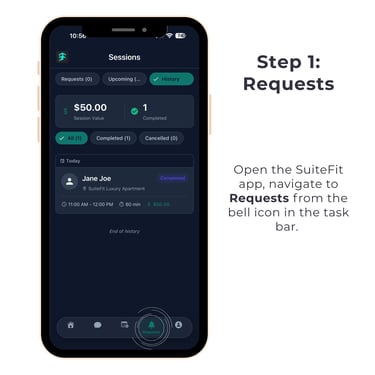
Follow the steps below to review your session history in the SuiteFit app. Click the image for a full view and tap through each step.
Tutorials For Trainees
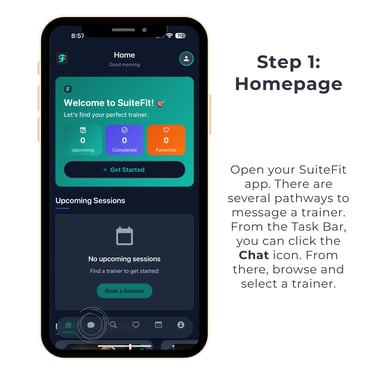
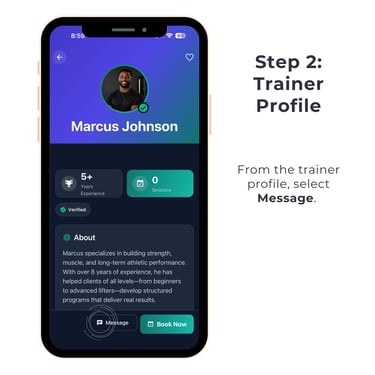
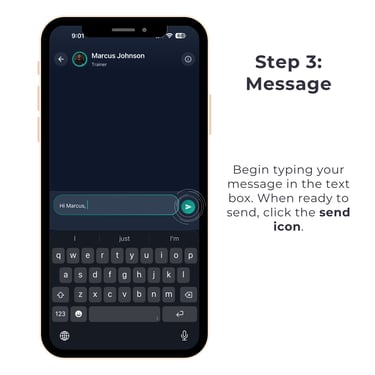
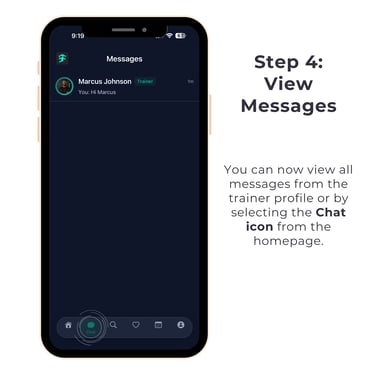
Messaging a Trainer
Follow the steps below to message a trainer in the SuiteFit App. Click the image for a full view and tap through each step.
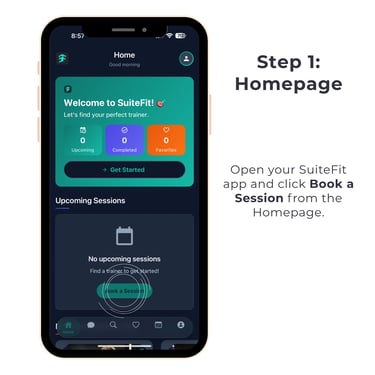
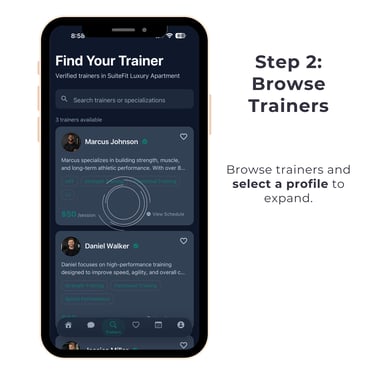
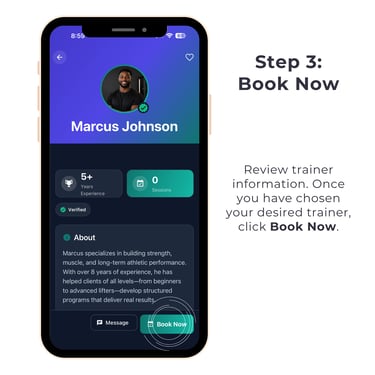
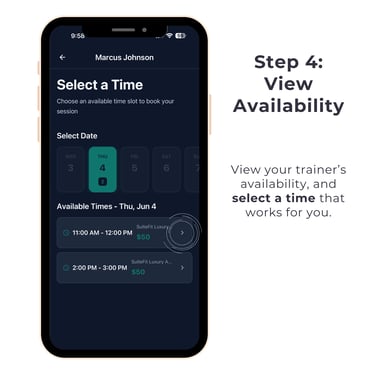
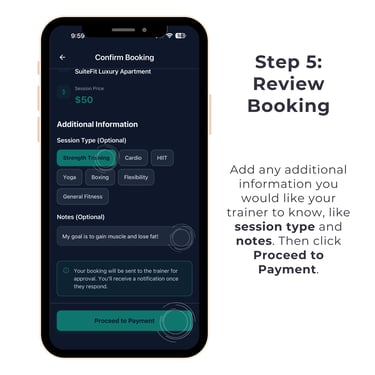
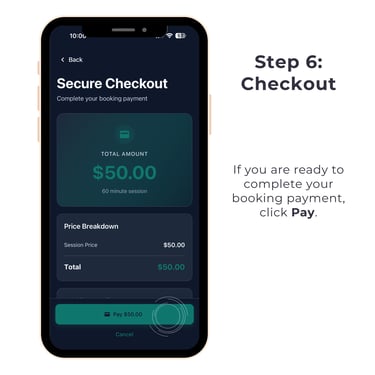
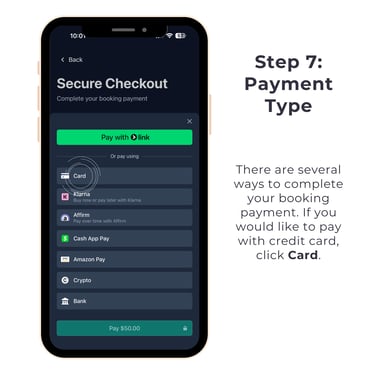
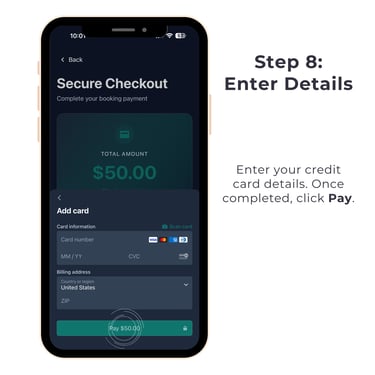
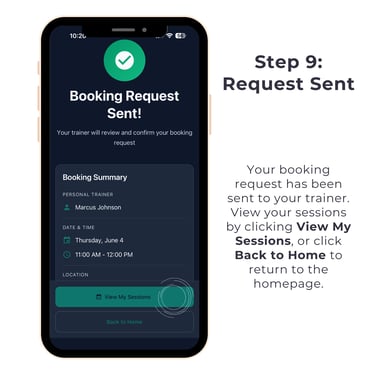
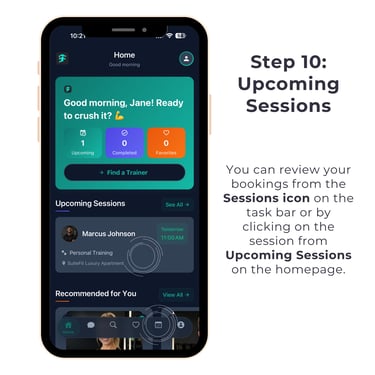
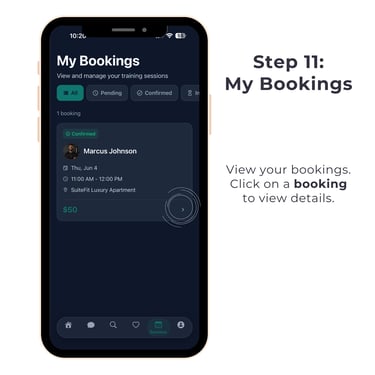
Booking a Session
Follow the steps below to book a training session in the SuiteFit App. Click the image for a full view and tap through each step.
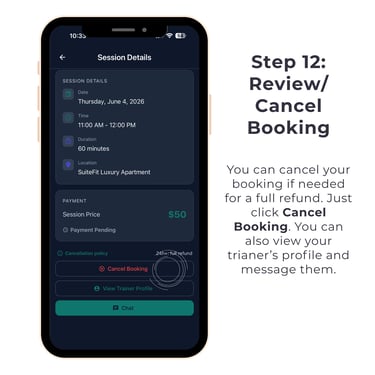
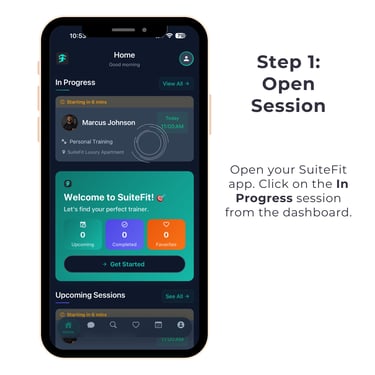
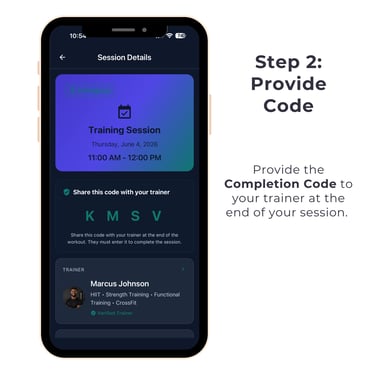
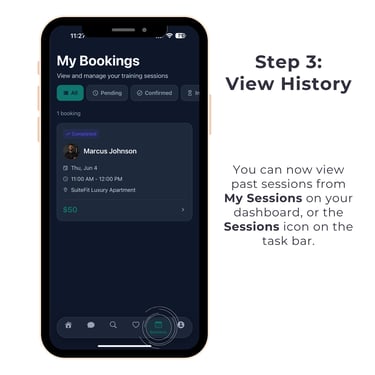
Completing a Session
Follow the steps below to complete a training session in the SuiteFit App. Click the image for a full view and tap through each step.
Contact
Reach out for partnership or support
Email:
Phone:
admin@suitefit.info
1-612-472-5724
© 2026. All rights reserved.
Trainer Terms of Service